Your Player ID is a unique, auto-generated number linked to your account. It allows us to locate your game-related data on our servers.
To find your Player ID:
Open the game.
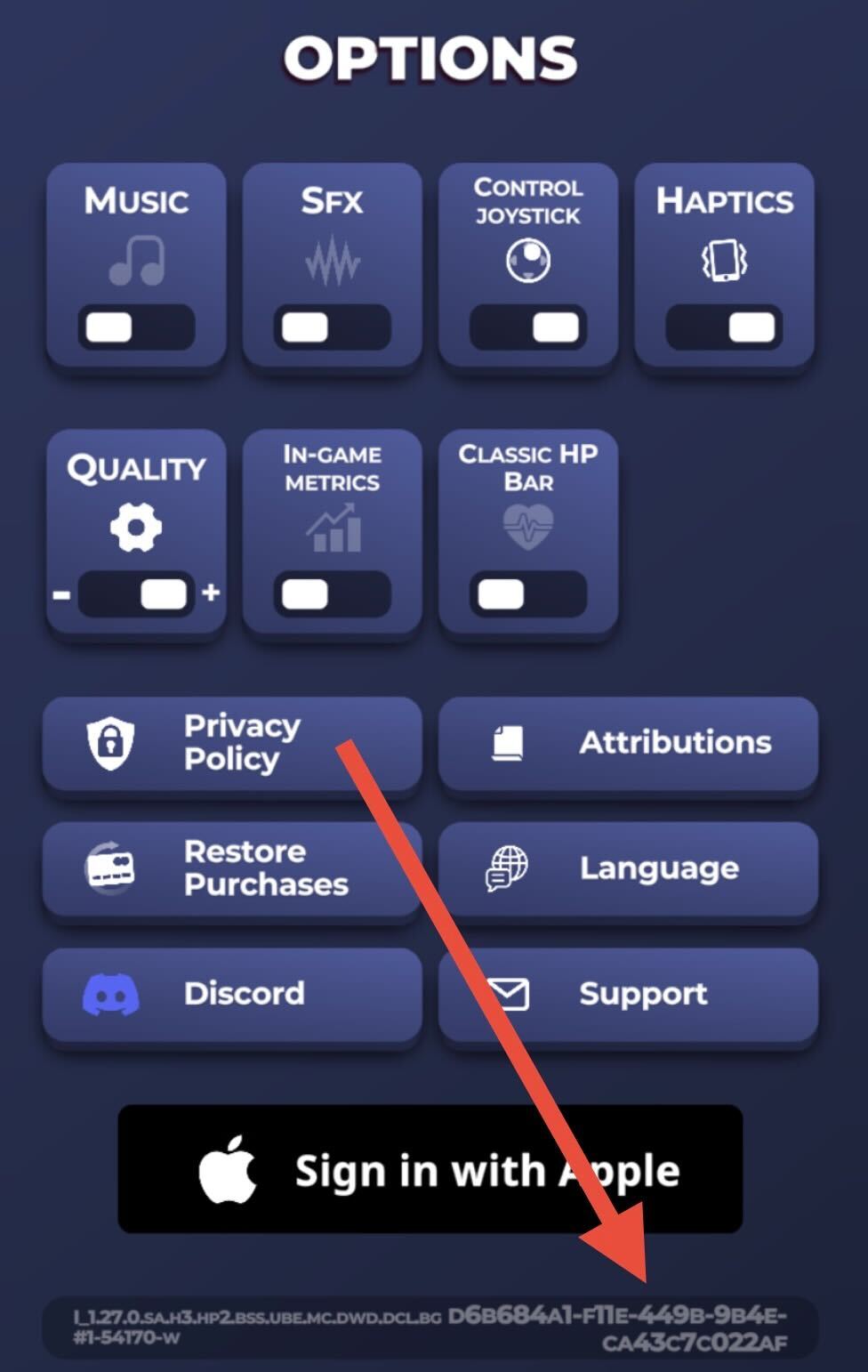
Go to Settings (bottom right corner).
Your Player ID will be displayed there. It looks something like this:
d6b684a1-f11e-449b-9b4e-ca43c7c022af
You can tap on your Player ID to automatically copy it, then paste it wherever needed.
Was this article helpful?
That’s Great!
Thank you for your feedback
Sorry! We couldn't be helpful
Thank you for your feedback
Feedback sent
We appreciate your effort and will try to fix the article