You can restore your purchases in the following situations:
You made a purchase but the content was not delivered
You changed your phone and your previous purchases are missing after logging back into your account
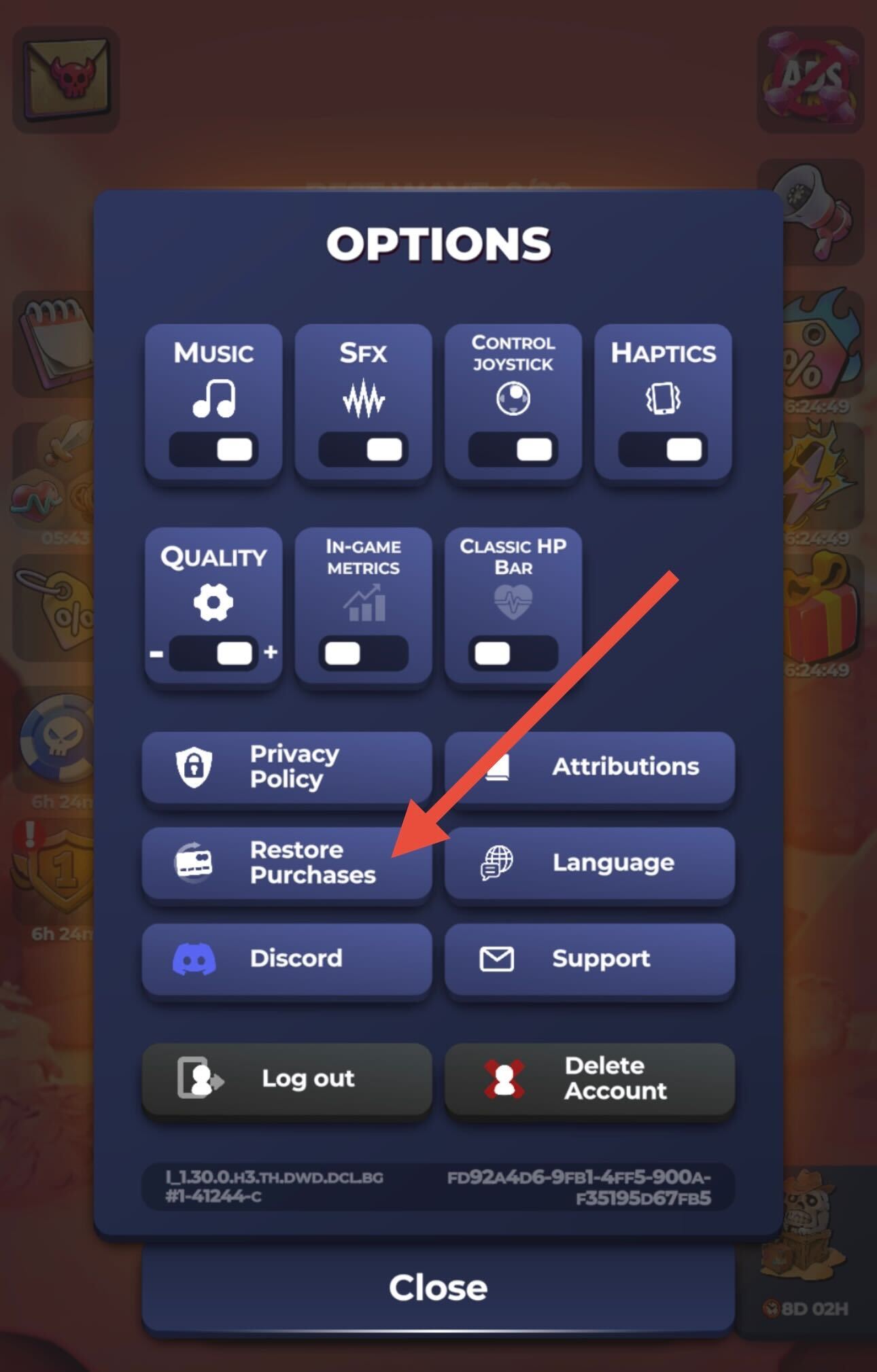
To restore your purchases:
Open the game
Go to Settings
Tap Restore Purchases
(A screenshot is included to show where to find the option.)
⚠️ Important, please read carefully:
Do NOT uninstall and reinstall the game if items are missing after a purchase.
Reinstalling the game can cause loss of progress, especially if your account is not signed in.
Using Restore Purchases is the safest and correct way to recover missing items.
If your purchases are still missing after restoring them, please contact support via Settings > Customer Support and include your Player ID and purchase receipt if available.
Was this article helpful?
That’s Great!
Thank you for your feedback
Sorry! We couldn't be helpful
Thank you for your feedback
Feedback sent
We appreciate your effort and will try to fix the article